Learning that adapts to every learner.
Give every learner a path of their own* with practice that adjusts1 while instructors see progress2 across every course in Academic Management†.

Personal paths. Instant feedback. No one left behind.
Two connected views, so teaching staff never have to choose between covering the course and meeting each learner where they are.
Learning paths* built for pace, practice, and mastery.
The instructor view† that turns activity into action.

Less time on marking.
More time on teaching.
Tailored
practice sets built for each learner4
Instant
feedback on every answer
Synced
results in Academic Management
Spot gaps as they appear
Adjust the path automatically
Build content without the busywork
Report on progress in minutes, not weeks
Fast feedback. Clear goals. Full visibility.
Practice, hints and progress in one place. No waiting for marks, no guessing what to study, no blind spots.

Get feedback on every step
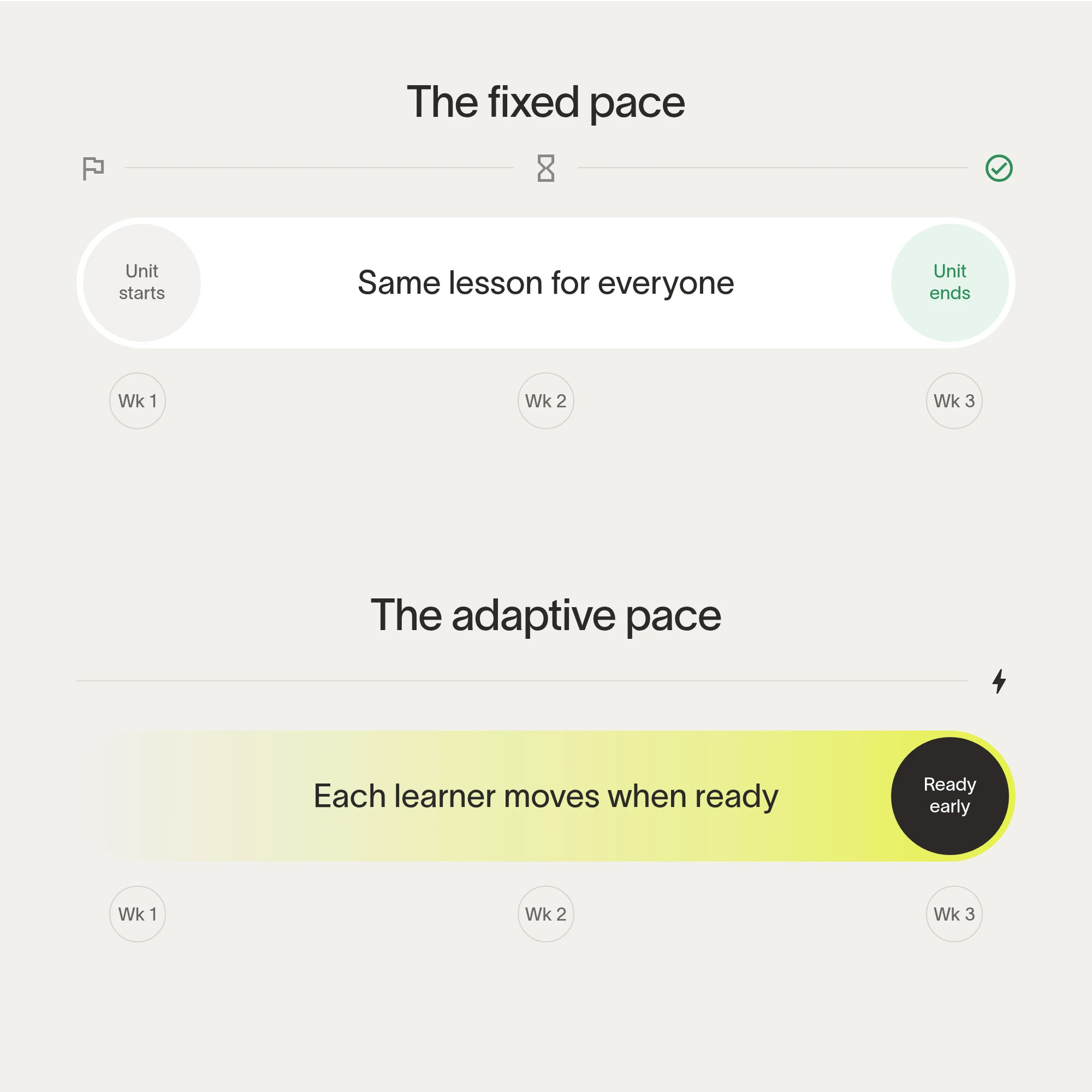
Learn at the right pace
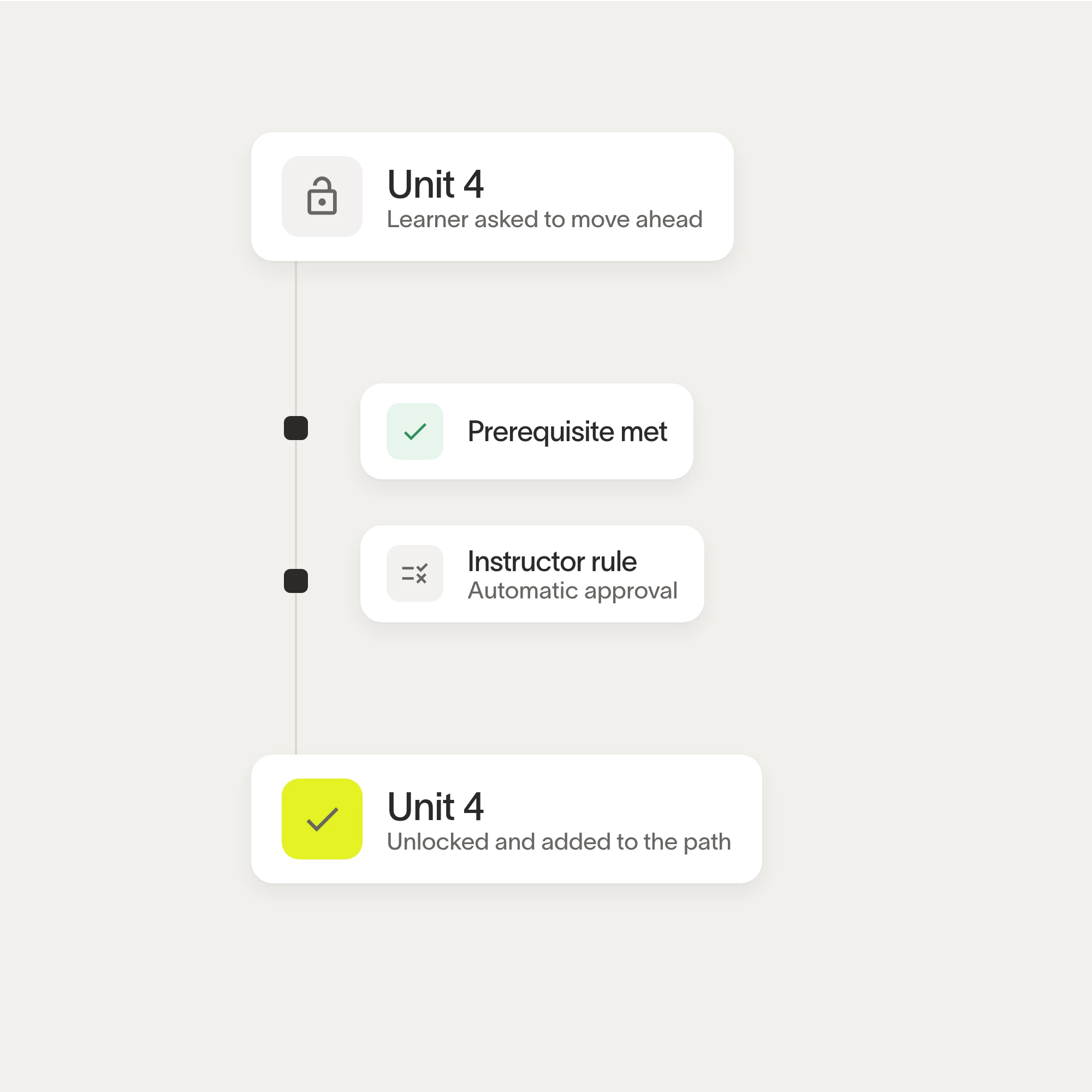
Keep every path on track
“We used to teach to the middle of the class and hope for the best. Now each student works on what they actually need, and our tutors spend their time where it makes a difference.”
Further education college, Adaptive Learning customer
One
learner record shared across the suite
Every
course outcome linked to practice
Any
device, in class or at home
One path > Many worksheets
Lessons, practice, feedback and progress on one platform, with one sign-in for learners and staff.
FAQs
Adaptive Learning builds a personal path through each course. It looks at how a learner answers, then chooses the next lesson, practice set or review so the work matches what they are ready for.
Instructors stay in charge: they set the outcomes, the content and the rules each path follows.
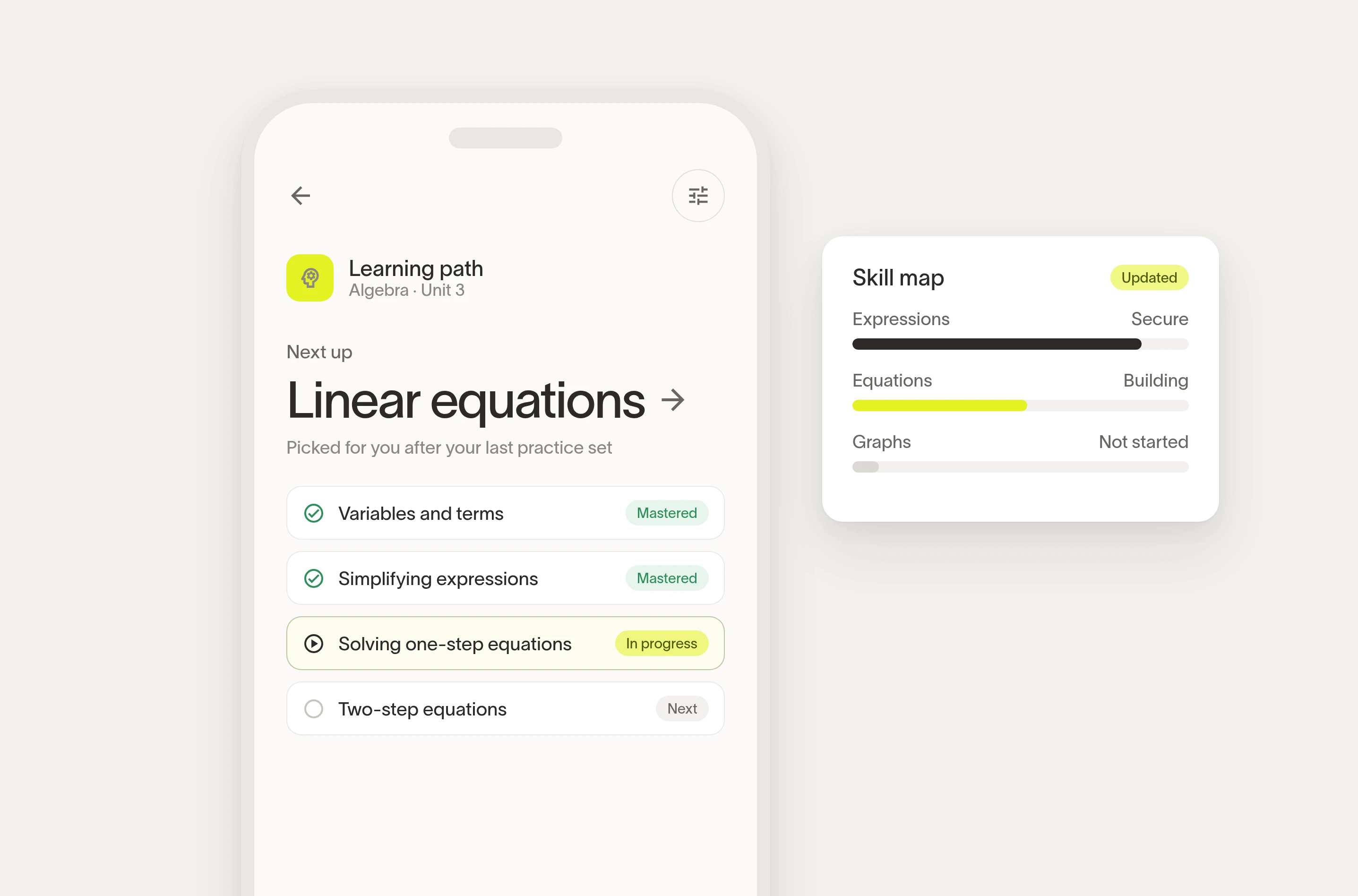
Each question is tagged to a skill. As a learner answers, Adaptive Learning updates their skill map and picks practice that targets the gaps, with hints and worked examples when they get stuck.
Read the instructor guide for the details. Mastery goals and review timing can be adjusted for each unit.
Learner data stays in your OpsMonsters environment and is used to run your courses.
Roles decide who sees what: learners see their own progress, instructors see their courses, and advisers see what Student Success shares with them.
Privacy and retention rules are set by your institution and applied through Data Governance.
Every change to a path, a rule or a grade sync is logged, so you can see who changed what and when.
Adaptive Learning is designed to support applicable student data privacy requirements; your institution remains responsible for its own obligations.
A clear next step, short lessons, practice with instant feedback, and a skill map that shows what they have mastered and what is coming up. It works on laptops, tablets and phones.
Learners can ask for a hint, revisit a worked example or flag a question for their instructor at any point, without leaving the lesson.
A course can start as soon as its content is tagged to outcomes. Many teams begin with one unit, see how learners respond, then extend to the rest of the course.
If your institution is new to OpsMonsters, you can book a demo.