Digital Twin

Try every change on the twin first.

OpsMonsters Digital Twin keeps a live model of your sites, lines and equipment, so you can test a decision before it reaches the real operation.

LogoLogoLogoLogoLogoLogoLogoLogoLogoLogoLogoLogoLogoLogoLogoLogoLogoLogoLogoLogoLogoLogoLogoLogoLogoLogoLogoLogoLogoLogoLogoLogoLogoLogoLogoLogoLogoLogoLogoLogoLogoLogoLogoLogoLogoLogoLogoLogoLogoLogoLogo

From live signal to tested decision.

One current model of the operation, ready for any question

Connect the assets you run.

Sensor feeds, maintenance logs and ERP records come together in one model of each site, line and machine.

Keep the model in step.

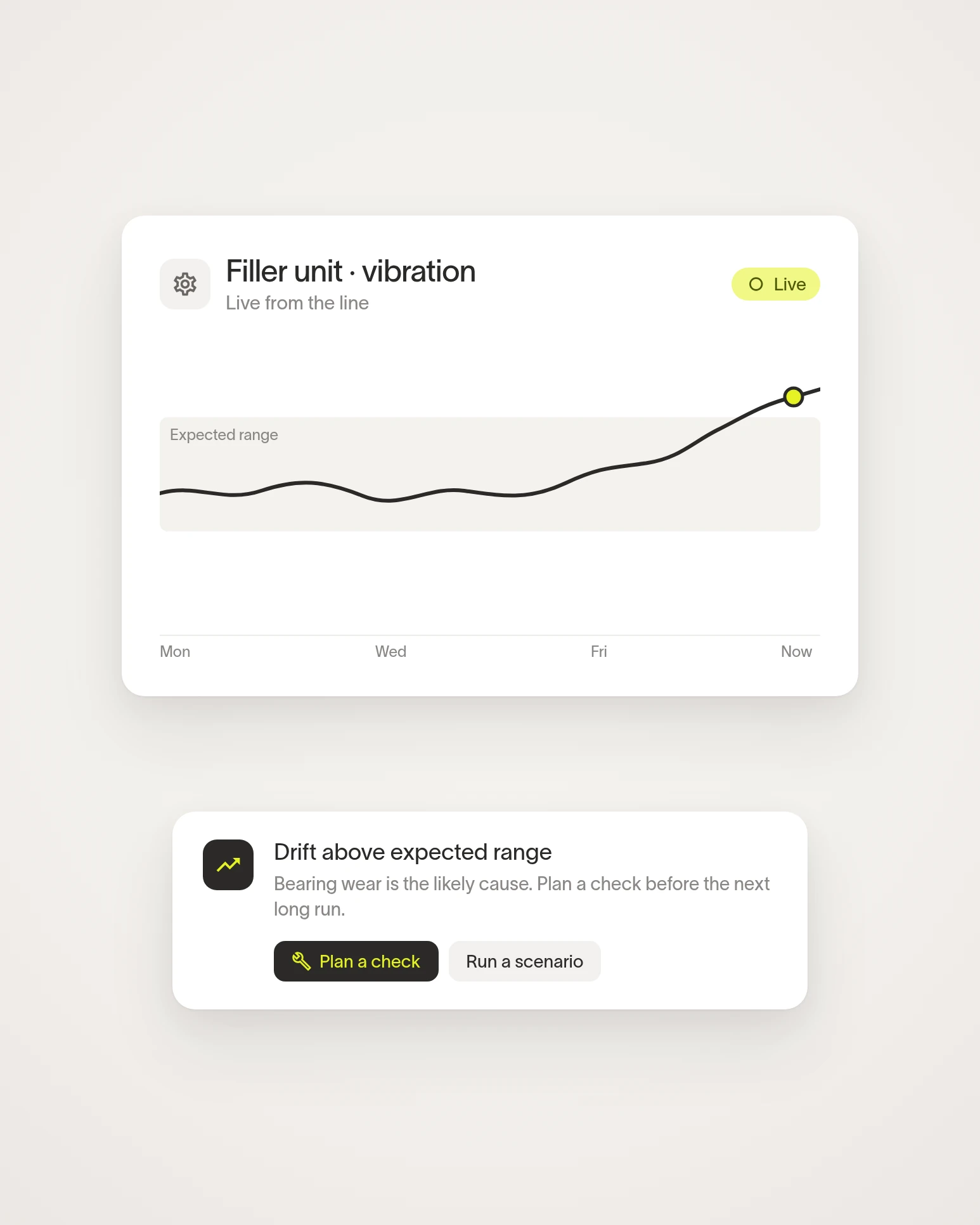
Each new reading updates the twin, so it shows the operation as it is right now.

Ask what happens if.

Change a schedule, a setting or a supplier and watch the effect play out on the model, not on the floor.

Compare the options side by side.

Scenarios run next to each other, with output, cost and risk laid out together.

Push the winner into the plan.

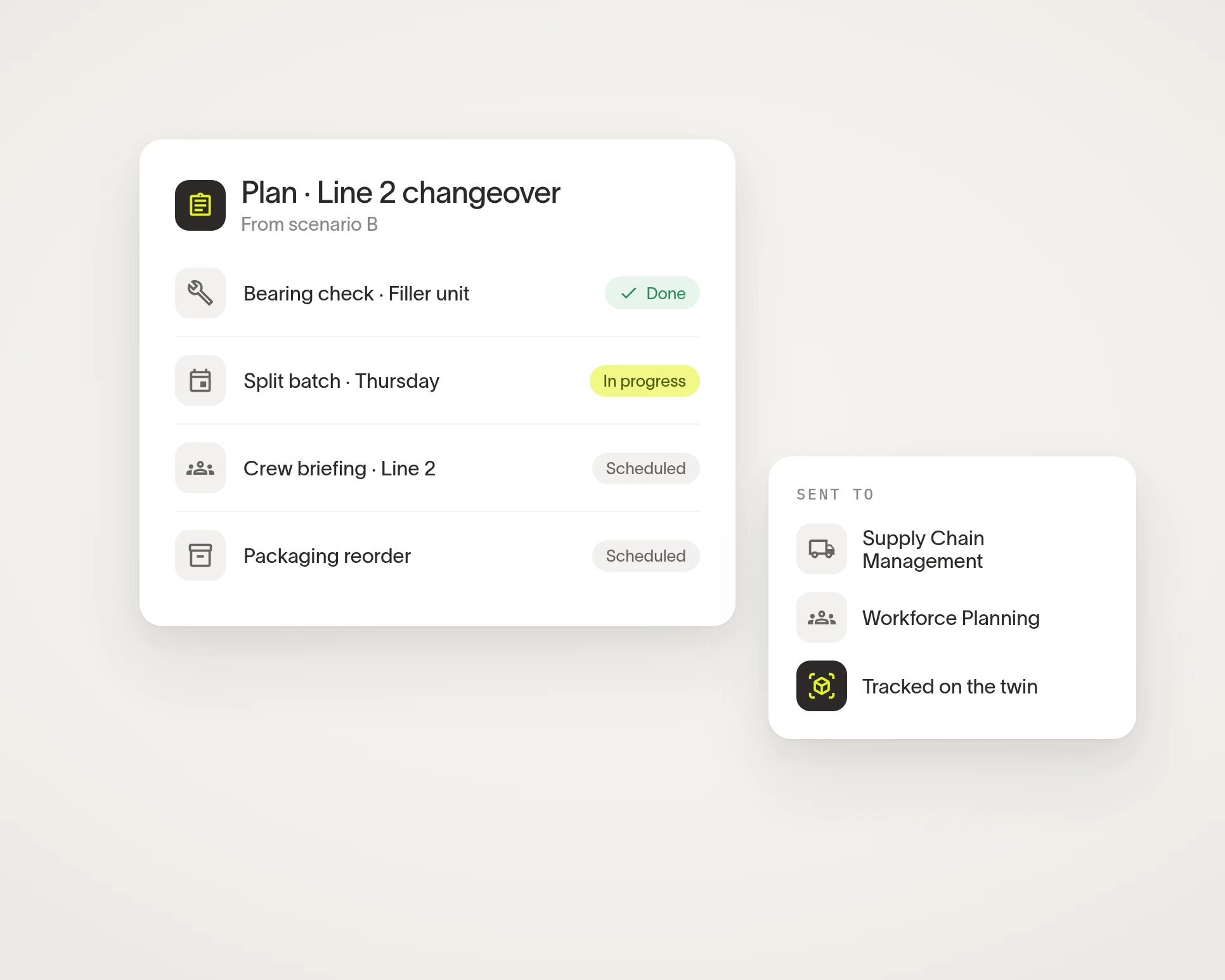
The chosen scenario becomes schedules and work orders in the OpsMonsters suites that carry them out.

Fewer surprises. Fewer trial runs. Fewer site visits.

Always

Live

readings from sensors, logs and ERP records keep each model current

Always

Safe

scenarios run on the model, never on the production line

Always

Shared

engineering, operations and planning work from one model

image

Regional water utility

We used to argue about what a pressure change would do downstream. Now we run it on the twin first, and everyone looks at the same answer.

- Head of Network Operations

image

Specialty chemicals manufacturer

Line changeovers used to mean a weekend of trial batches. Now we rehearse the changeover on the model during the week and arrive on Monday with a plan.

- Plant Engineering Manager

image

Logistics and warehousing operator

Our planners finally see the depot the way the floor crew sees it. When a dock goes down on the model, they already know which loads move next.

- Director of Operations Planning

Put agents to work on the twin.

Agent Orchestration lets OpsMonsters agents watch the model and act on what it finds.

Learn about Agent Orchestration

Take the guesswork out of planning, upkeep and every change in between.

Stop deciding from site walks, old drawings and spreadsheets that went stale the day they were saved.

Connected to the rest of OpsMonsters, site by site and asset by asset.

Digital Twin shares sites, assets, crews and orders with Supply Chain Management, Workforce Planning, Business Process Management and the other OpsMonsters suites, so the model never drifts from the records behind it.

Connected to the rest of OpsMonsters, site by site and asset by asset.

Start with one asset and grow from there

Most teams model a single machine first, add the line around it, then the site, and connect the wider network once the twin has earned their trust.

Start with a machine

Asset

Add the line

Line

Model the site

Site

Connect the fleet

Fleet

FAQ

A digital twin is a working model of something physical you run: a machine, a production line, a warehouse, a whole network of sites. OpsMonsters Digital Twin builds that model from your own asset records and live readings, keeps it current, and lets you try changes on it before you make them for real.

From the systems you already use. Sensor and machine feeds, maintenance histories, bills of materials, schedules and orders flow in through OpsMonsters's connectors and the other OpsMonsters suites, so nobody has to re-key data to keep the model current.

Anything you can describe as a change to the operation: a new shift pattern, a different maintenance interval, a layout change, a new supplier or route, a demand spike or an outage. Each scenario runs on a copy of the model, so the live twin and the real site are never affected.

When a scenario wins, you can publish it as a plan. Schedules, work orders and supply changes are created in the OpsMonsters suites that own them, with the scenario attached, and the twin then tracks how the real work compares with what the model expected.

No. Most teams start with one critical asset or line, prove the model against what actually happens, and then extend it. Each new asset reuses the templates and connections you have already built, so the twin grows without starting over.

Reliability and process engineers use it to understand equipment, operations leads use it to plan shifts and changeovers, and planners use it to test supply and capacity decisions. Leaders get a clear view of what each option means before they sign off.

It is part of the Enterprise Technology suite and shares one data model with the rest of the platform. Supply Chain Management feeds it orders and inventory, Workforce Planning feeds it crews and skills, and Agent Orchestration lets agents watch the twin and raise work when something drifts.

Yes. Access follows the roles you already manage in OpsMonsters, sensitive sites and assets can be limited to the teams that need them, and every scenario, change and publish is recorded so you can see who did what and when.

Book a demo and bring one asset or line you would like to understand better. The OpsMonsters team will walk through how it would be modelled, which data it needs and how the first scenarios would run.

Test tomorrow, today.

Digital Twin - Model And Test Real-World Systems | OpsMonsters