Spot the students who need help.
Before the term gets away.
OpsMonsters watches attendance, grades and course activity, flags students who are slipping, and helps advisers reach them while there is still time.
Help every learner, without the guesswork.
One view of who is thriving, who is coasting and who needs a hand.
Scattered signals.
One clear picture.
Early alerts that turn warning signs into conversations.
Built on
One record
Grades, attendance and activity from
across the Education & Workforce suite.1
Who follows up
Advisers
Every alert has a named owner
and a record of what happened.2

We used to hear about a struggling student at midterm. Now the alert reaches an adviser early in the term, and the first conversation happens while it can still change the outcome.
- Head of Student Advising, public university

We stopped exporting attendance into spreadsheets every Friday. The signals arrive in one place, and our tutors spend that time talking to students instead.
- Director of Learner Support, further education college

Every case keeps its history in one place, so when a student moves to a new adviser nobody has to start from scratch.
- Student Services Manager, online degree provider
Build a support plan without starting from zero.
From first alert to agreed next steps, all in one place.
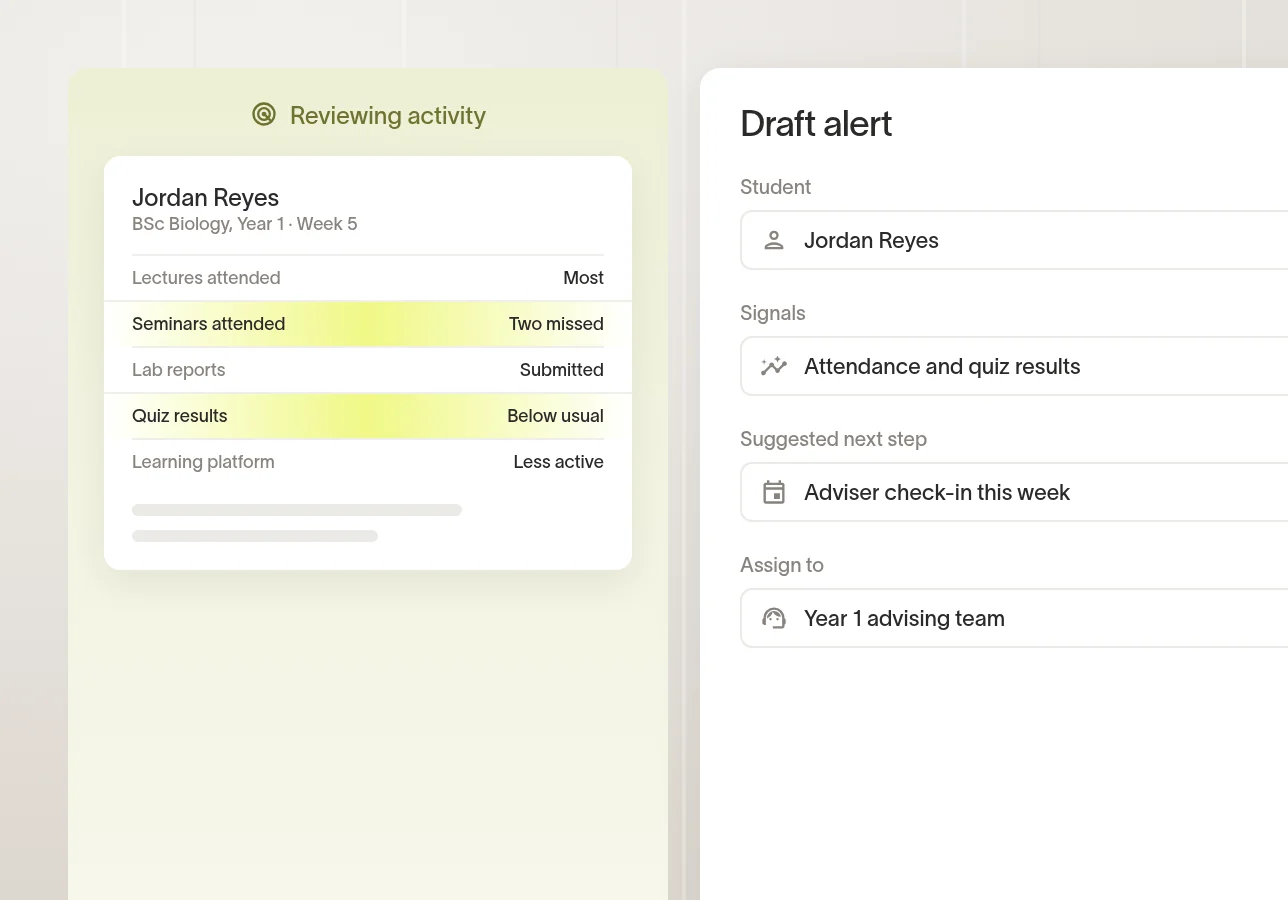
Detect
Flag students from the signals you choose.
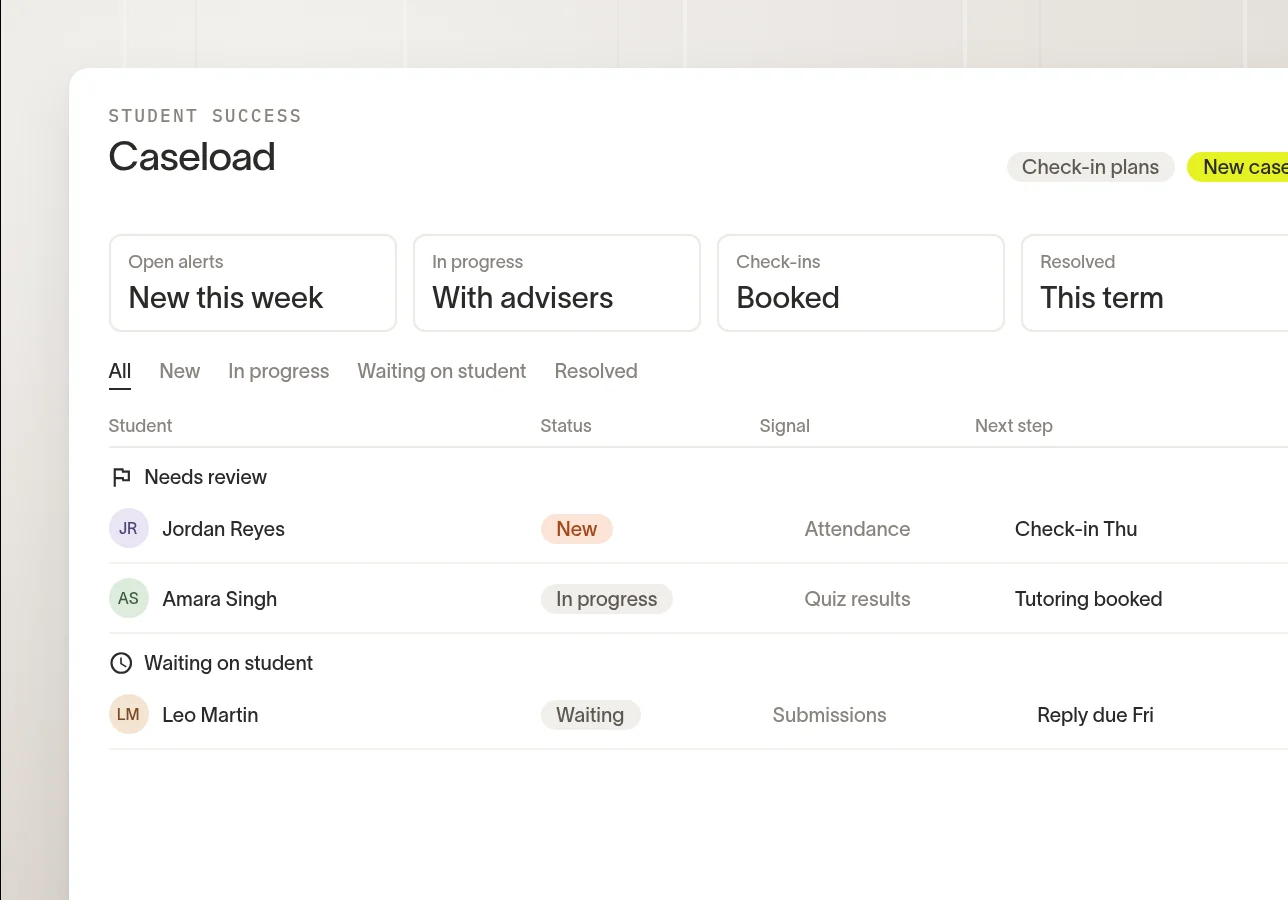
Monitor
Every student who needs a hand, in a single view.
Reach out at the right moment.
Student Success uses your outreach rules, each student’s recent activity and what they have already told you to prepare the next message for an adviser.
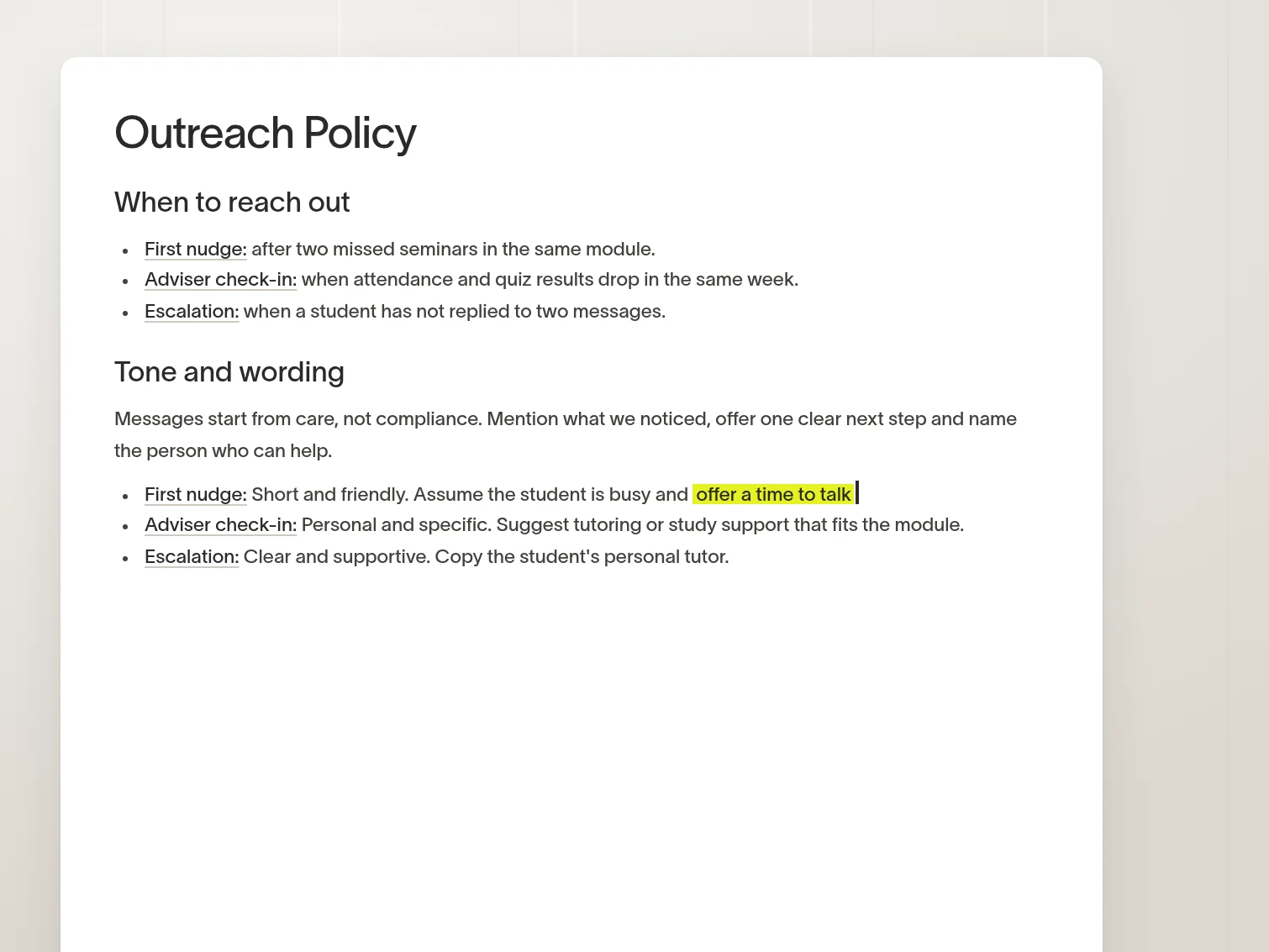
Decide when outreach starts.
Choose which signals start a message and the tone it takes. Each draft reflects the student’s situation and past conversations.
Know when to step in.
And when to give space.
Outreach waits when a student already has a plan in place, such as a booked tutoring session or an agreed extension.

Every message is checked by an adviser.
Advisers read each drafted message, adjust the wording where needed and decide when it is sent.

Check-in logged. Plan agreed.
Record updated.
Notes, actions and outcomes flow back to the student record, so the next adviser sees the full story.

Log every conversation.
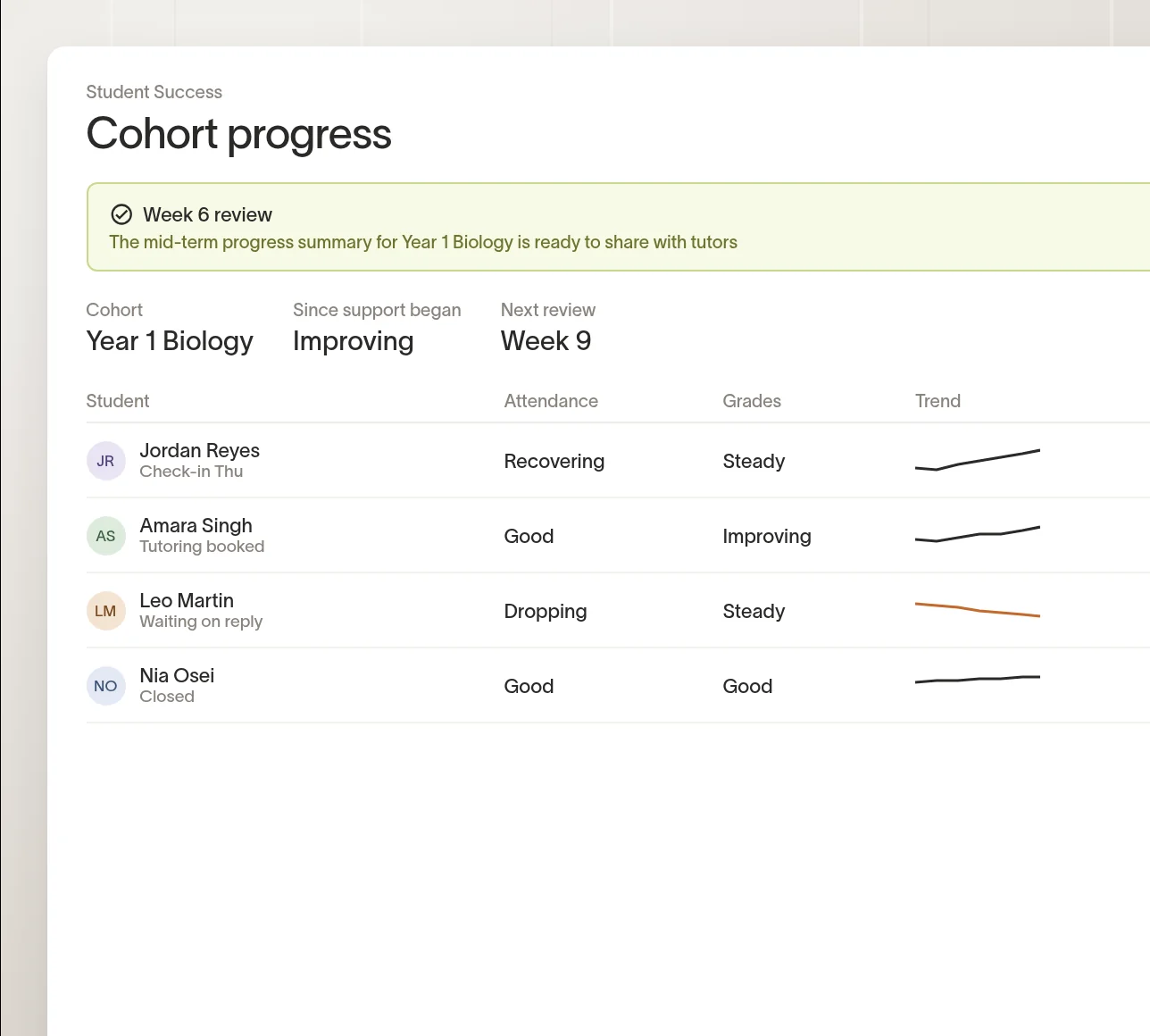
Follow progress over the term.
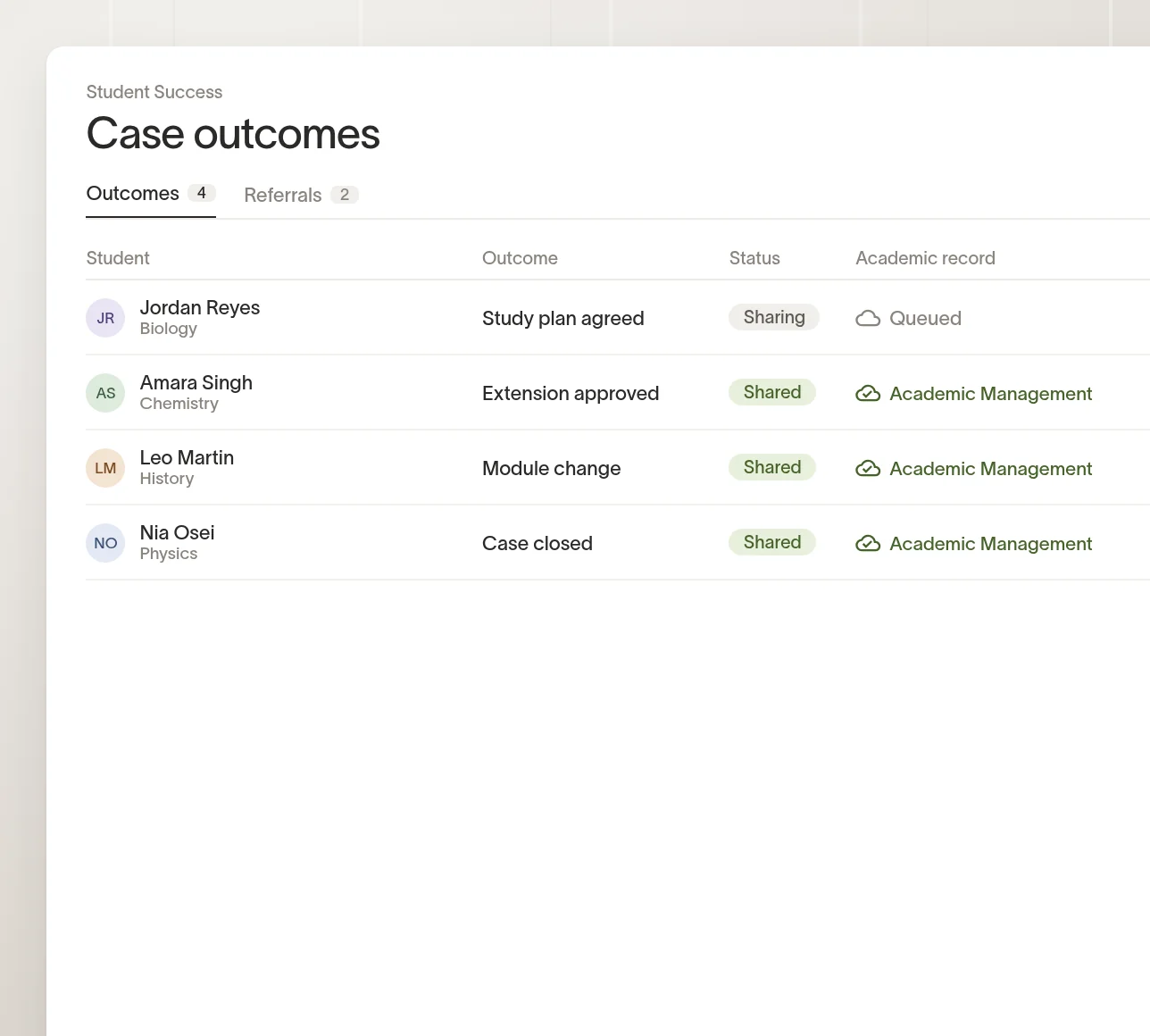
Share outcomes with the registry.
One suite for every part of learning—
courses, records, skills and more.
Academic Management
Programs, timetables and student records.

Adaptive Learning
Learning paths that adjust to each learner.
Talent Development
Skills and growth plans for staff and alumni.
Workforce Planning
Staffing plans for teaching and support teams.
Data Governance
Privacy and retention rules for student data.
FAQs
OpsMonsters Student Success is the part of the Education & Workforce suite that helps institutions notice when learners are struggling and organise the support that follows. It combines attendance, submissions, grades and learning activity into one view per student, raises alerts from your rules and gives advisers a shared place to plan and record each case.
Instead of switching between registers, inboxes and spreadsheets, support teams follow each student from first alert to agreed outcome in OpsMonsters.
Student Success handles the routine work between a warning sign and a conversation:
- Early alerts: OpsMonsters watches the signals you choose and flags a student when a pattern matches your rules, with the evidence attached for an adviser to review.
- Drafted outreach: Set when outreach starts and how it should read. OpsMonsters prepares each message from the student's situation and past contact, and an adviser reviews, edits and sends it.
- Case records: Check-ins, agreed actions and outcomes are logged to the student's case and shared with Academic Management when your rules allow it.
Together, these take the searching, copying and chasing out of support work, so advisers can focus on the student in front of them.
Your OpsMonsters team sets up Student Success with you. An administrator opens the Student Success area and selects Set up. From there you connect the sources you want to use, such as Academic Management, Adaptive Learning and your attendance records, and choose which cohorts to include.
Next, agree the alert rules and outreach wording with your support teams, assign advisers to cohorts and decide which outcomes are shared with the registry. You can start with one cohort and add more when you are ready.
Yes. Student Success reads programs, enrolments and grades from Academic Management, and case outcomes such as agreed extensions or module changes go back to the student record once the right people have approved them.
It also reads learning activity from Adaptive Learning, so a drop in engagement shows up next to attendance and results.
Yes. Data from systems you already run, such as attendance capture or a virtual learning environment, can be brought in through OpsMonsters's integration tools.
Your team decides which of those signals count towards an alert and how much each one matters, and can change that at any time.
Student Success is licensed as part of the Education & Workforce suite under your OpsMonsters agreement. Your account team can explain which options fit the size and structure of your institution.
Further options, such as reporting across several campuses or custom alert rules for specific programs, can be added as your support service grows.
If you would like to see it with your own programs first, the OpsMonsters demo team can walk you through a session built around your cohorts and the way your advisers work.
Student Success works best alongside Academic Management, which holds the student record it builds on. You don't need every product in the suite, and it can draw on data from systems outside OpsMonsters where you need it to.
Yes. You can follow progress for a single student, a tutor group, a program or a whole year, and share term reviews with tutors and academic boards.
Yes. Existing case notes and adviser assignments can be imported during setup, so advisers keep the history they rely on. Your team chooses which records to bring across and how far back to go.
Imported notes sit on each student's case next to new activity, so advisers see the whole story from the first day.
You choose during setup. Messages can go by email, through your learning platform or as a link to book a meeting, depending on the channels your institution turns on.
No. OpsMonsters prepares messages from the rules your support team sets, but an adviser always reviews, edits if needed and sends each one.
A report shows which students looked at risk on the day it ran. Someone still has to read it, decide who acts, write to each student and remember to check back.
With Academic Management underneath it, Student Success turns that list into casework: alerts arrive with an owner, outreach is drafted for review, and every check-in and outcome is recorded so nothing is lost between advisers.